Why Screen Printing Tips for Beginners Matter
Screen printing tips for beginners are essential for anyone looking to create custom apparel, promotional items, or unique DIY projects without wasting time, money, and materials on avoidable mistakes.
Quick Start Guide: Essential Screen Printing Tips for Beginners
- Start simple: Choose bold, one-color designs with clean lines
- Prep your screen: Always degrease and coat evenly with emulsion
- Get the exposure right: Use proper timing and a dark surface to avoid under/over-exposure
- Master squeegee technique: Hold at 45-90 degrees with consistent, firm pressure
- Cure your prints: Heat set ink properly to ensure durability
- Clean immediately: Dried ink ruins screens permanently
- Practice registration: Use guides and test prints for multi-color designs
- Test first: Always print on scrap fabric before your final piece
- Invest in quality basics: A good screen, squeegee, and ink make all the difference
- Learn from mistakes: Keep notes on what works and what doesn’t
Screen printing has been around for over a thousand years, but beginners today still make the same costly errors—ruining screens, wasting ink, and ending up with faded, smudged prints. The good news? Most mistakes are completely preventable when you know what to watch for.
Whether you’re a small business owner creating custom merchandise or an event organizer needing branded apparel, understanding these fundamentals will save you frustration and help you achieve professional-looking results from your very first print. You can make hundreds of shirts with one vinyl stencil, and with proper technique, your prints will last as long as the garment itself.
I’m Luke Sanders, and I’ve been leading RiverCity Screenprinting & Embroidery for over 15 years, where we’ve produced millions of high-quality screen-printed items. I’ve seen every beginner mistake in the book—and I’m sharing these screen printing tips for beginners so you can skip the trial-and-error phase and start creating great prints right away.
Must-know screen printing tips for beginners terms:
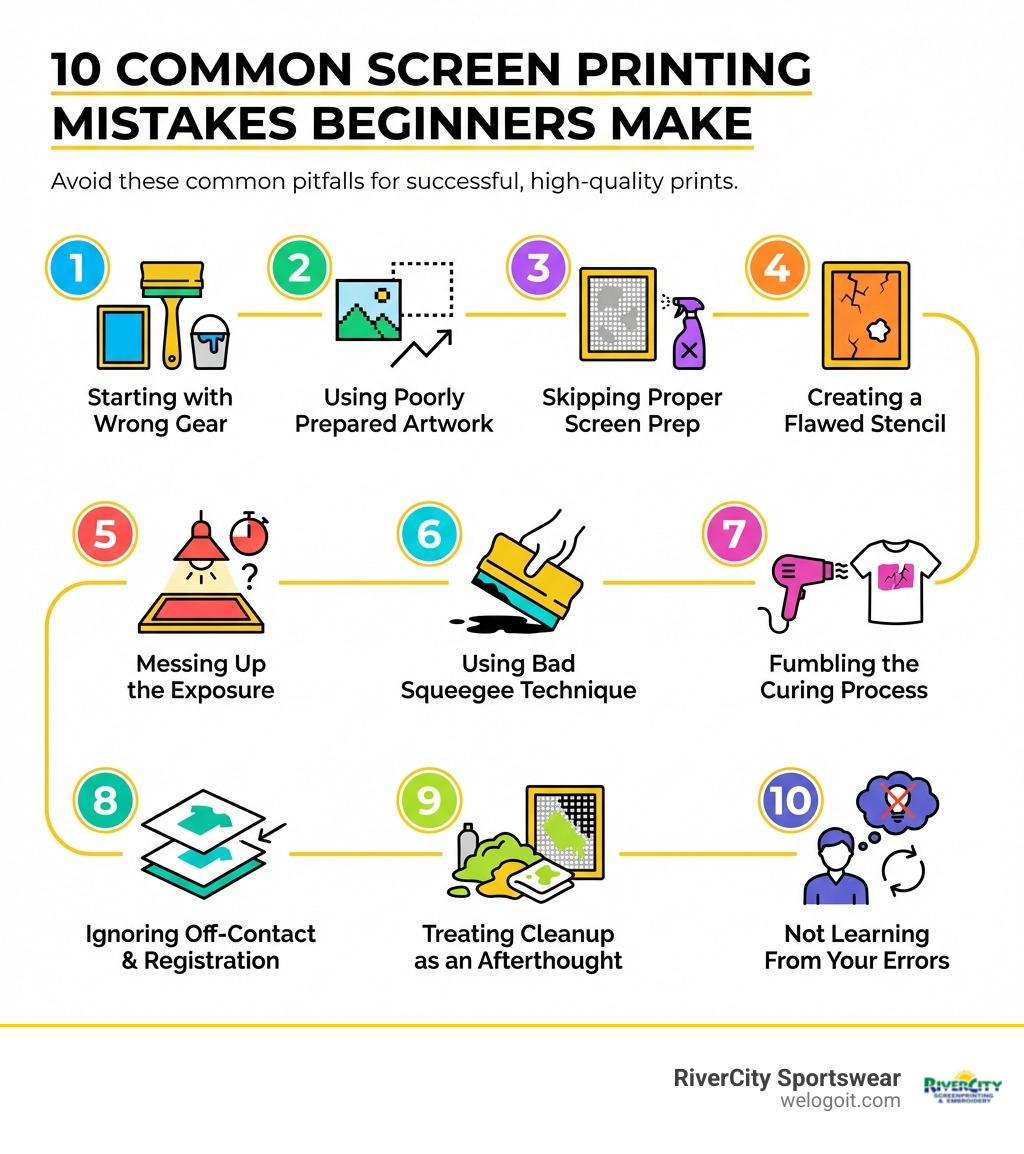
Mistakes #1-3: Preparation Pitfalls That Ruin Your Print Before You Start
We know you’re eager to get printing, but screen printing success starts long before the ink touches the fabric. The initial setup and preparation are crucial. Skimping on these steps can lead to frustration and wasted materials.
Mistake #1: Starting with the Wrong (or Incomplete) Gear
One of the most common pitfalls for beginners is diving in without the right tools. A few key items will make your screen printing journey much smoother.
Essential Supplies Needed for Screen Printing at Home:
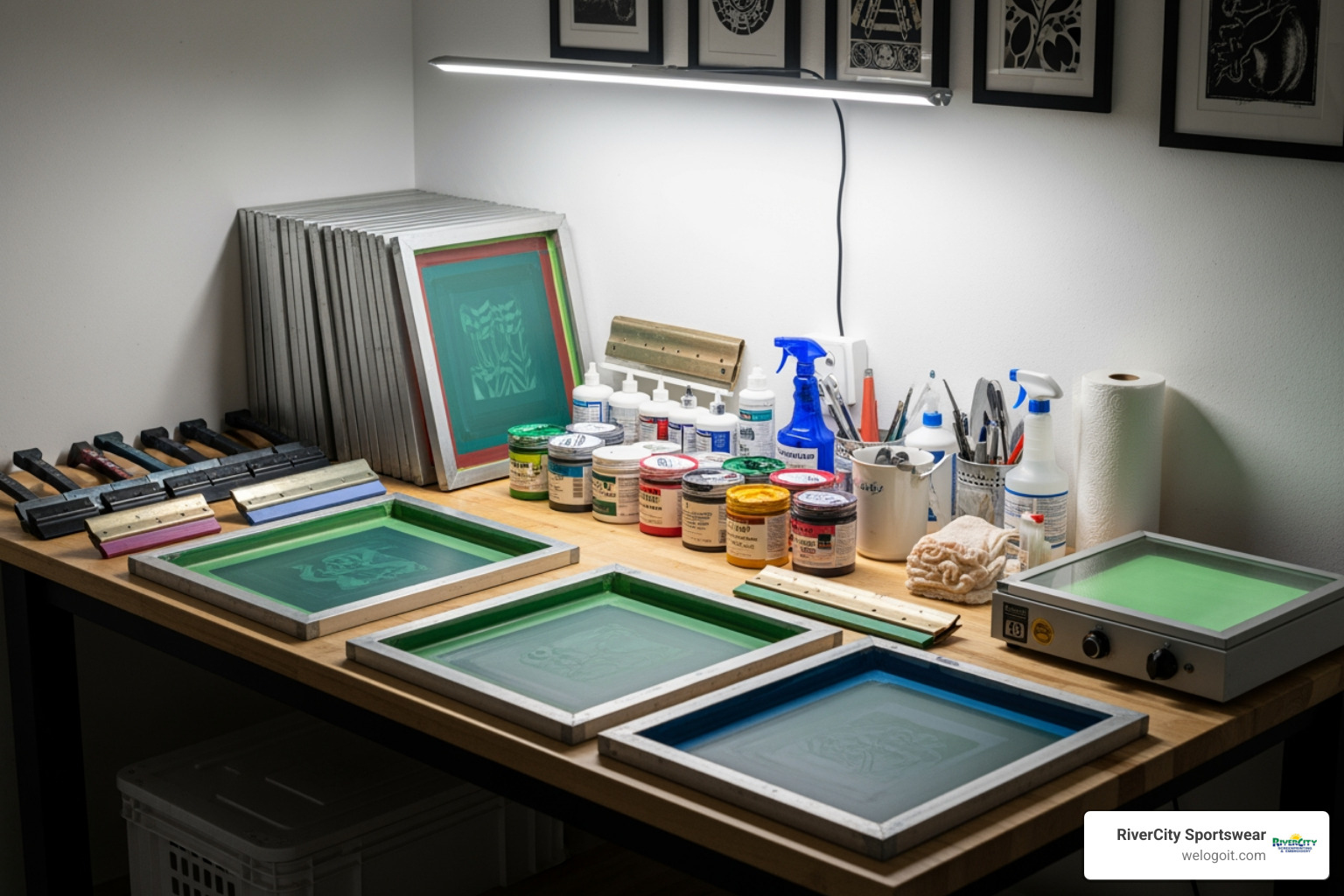
To get started, you’ll need a handful of essential items. Think of these as your screen printing starter pack:
- Screen Printing Frame: A wooden or aluminum frame with stretched mesh. We recommend aluminum frames; they’re more durable and hold tension better.
- Squeegee: This tool pushes ink through your screen. A firm rubber blade is key.
- Photo Emulsion: A light-sensitive liquid for creating your stencil. You’ll also need a scoop coater to apply it evenly.
- Screen Printing Ink: Use fabric-specific ink. Water-based inks are beginner-friendly due to easy cleanup.
- Transparency Film: Used to print your design, which blocks light during the exposure process.
- Light Source: A simple 150-watt incandescent bulb or a 20-watt LED equivalent works for DIY exposure.
- Two Pieces of Glass: To hold your transparency flat against the screen during exposure.
- Fabric/Substrate: T-shirts, tote bags, etc. Natural fabrics like cotton work best for beginners.
- Tape: Painter’s tape or screen printing tape to block off the edges of your screen.
- Washout Station: A sink with lukewarm water and a gentle spray to develop your screen.
Beginners often find it easiest to start with a kit that bundles these essentials, like A good starter screen printing kit.
Choosing Your Screen’s Mesh Count
The mesh count (threads per inch) impacts your print’s detail. For beginners, a mesh count between 110 and 160 is a good starting point. Higher numbers are for detailed designs, while lower numbers are for blocky designs or thicker inks.
Mistake #2: Using Poorly Prepared Artwork
Your screen print is only as good as your artwork. A low-resolution, pixelated image will lead to disappointing results.
Tips for Preparing Your Design:
- Start Simple: For your first projects, choose simple, one-color designs. This lets you master the basics without getting bogged down in complex details.
- Vector vs. Raster: Use vector files (from Adobe Illustrator or CorelDRAW) when possible. They are scalable without losing quality, ensuring sharp lines. Raster images (JPEGs, PNGs) can become pixelated.
- High-Contrast Black and White: Your design must be converted to a high-contrast black and white image. The black areas block light to form your stencil, so ensure there’s no gray.
- No Anti-Aliasing: Screen printing requires crisp, hard edges. Anti-aliasing, which smooths digital edges, can lead to blurry prints.
- Halftoning for Gradients: To print gradients, convert them using halftoning. This technique uses dots of varying sizes to simulate shades. See An example of halftoning by Roy Lichtenstein‘s work for a classic example.
- Color Separation for Multi-Color Prints: For a multi-color design, each color needs its own layer and a separate screen, requiring careful preparation for alignment.
Mistake #3: Skipping Proper Screen Prep
Don’t overlook degreasing and coating your screen. A properly prepared screen is the foundation of a clean, sharp print.
How to Prepare the Screen for Printing:
- Degreasing the Screen: Before applying emulsion, your screen must be perfectly clean. Use a mesh degreaser to remove any dust, oils, or residue that could prevent the emulsion from adhering properly. This step is crucial to prevent pinholes in your stencil.
- Applying Emulsion: Work in a dimly lit, dust-free room, as emulsion hardens when exposed to light.
- Pour a small amount of emulsion into your scoop coater.
- Apply a thin, even coat to the print side of the screen in one smooth pass.
- Flip the screen and make another smooth pass on the squeegee side. The goal is a very thin, even coat.
- Use room-temperature emulsion for the best consistency.
- Drying Screens Correctly: Patience is key here.
- Dry the coated screen in a completely dark, clean, and well-ventilated space.
- Place the screen horizontally, print side down. This lets gravity create a smooth coating on the print side.
- The temperature should not exceed 110°F (43°C). Drying can take 1-3 hours (about 30 minutes with a fan). Ensure it’s completely dry before proceeding, as any moisture will compromise your stencil.
Mistakes #4-6: Botching the Stencil and Messing Up the Print
Once your screen is prepped, it’s time to create your stencil and apply the ink. These steps bring your design to life but are also prone to rookie errors. Follow this guide to get it right.
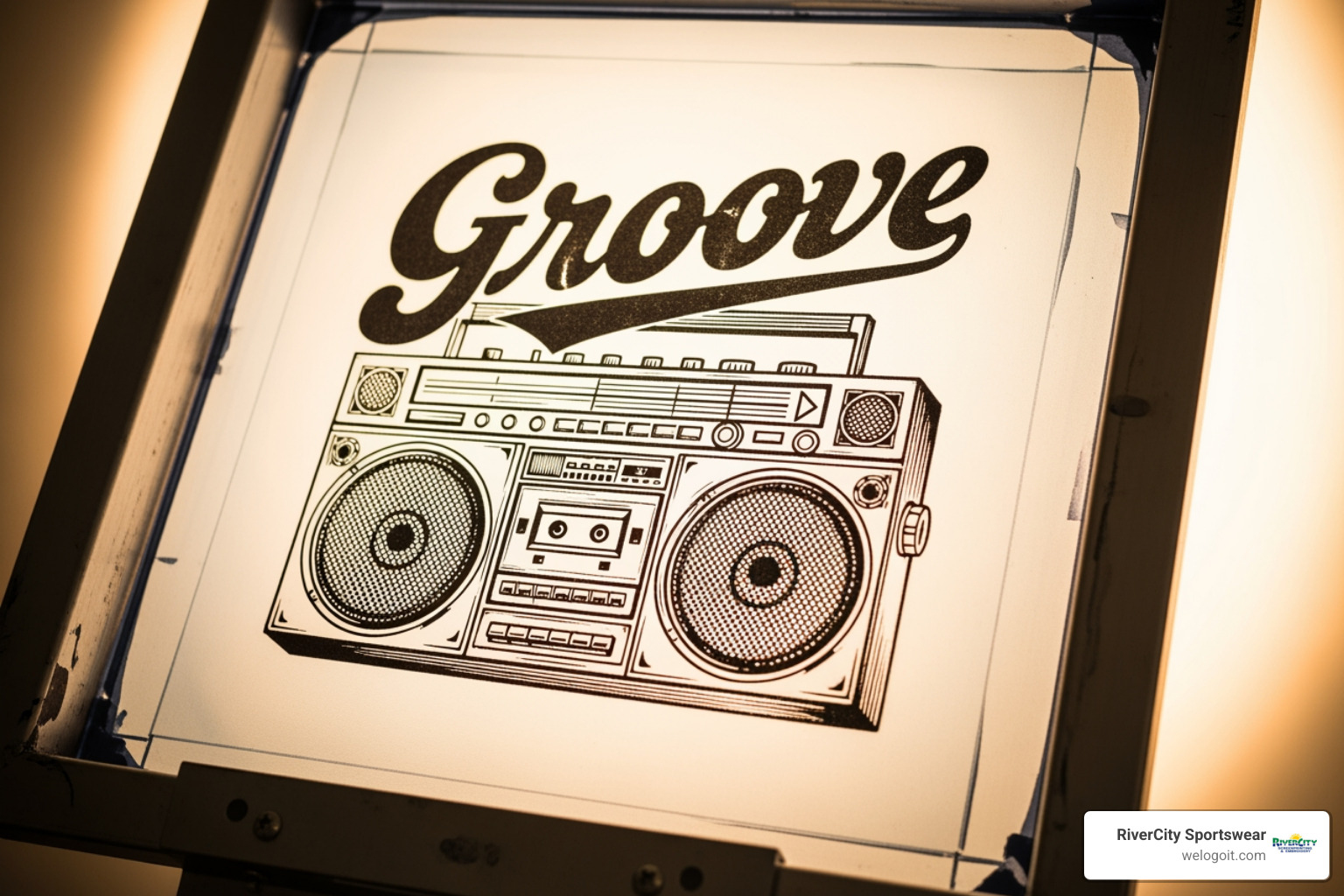
Mistake #4: Creating a Flawed Stencil
Your stencil is the heart of your design; if it’s not perfect, your print won’t be. Both photo emulsion and vinyl methods require precision.
Different Methods for Creating a Stencil:
- Photo Emulsion Method: This common method involves coating the screen with photosensitive emulsion. Your design, printed on a transparency film (“film positive”), is placed on the screen. When exposed to UV light, the emulsion hardens everywhere except where your design blocks the light. The unhardened emulsion is then washed away, leaving your stencil.
- Vinyl Stencil Method: A great beginner option, especially with a vinyl cutter (like a Cricut). Cut your design from adhesive vinyl, weed out the areas for ink, and apply the vinyl to your screen. This method is faster than photo emulsion and can be used for hundreds of prints.
Ensuring Opacity and Fixing Pinholes:
Regardless of the method, your stencil must be opaque. For film positives, the black areas must be completely dense to block all light during exposure. Any light leak will cause a blurry or incomplete stencil.
Common Problem: Pinholes! These tiny holes in your stencil allow ink to bleed through. Inspect your screen after developing and fix any pinholes by dabbing on extra emulsion or using screen-filler tape.
Photo Emulsion vs. Vinyl Stencils for Beginners
| Feature | Photo Emulsion Method | Vinyl Stencil Method |
|---|---|---|
| Setup Time | Longer (coating, drying, exposing, washing) | Quicker (cut vinyl, apply to screen) |
| Equipment | Emulsion, scoop coater, light source, transparency | Vinyl cutter, adhesive vinyl |
| Complexity | More steps, requires darkroom/light control | Simpler, less sensitive to light |
| Reusability | Screen can be reclaimed for new designs | Vinyl stencil can be removed, screen reused for new vinyl |
| Detail Level | Excellent for fine detail and intricate designs | Good for solid shapes, text, and moderately detailed designs |
| Best For | Higher volume, intricate designs, multi-color | Quick, simple designs, home craft rooms, multiple prints |
Mistake #5: Messing Up the Exposure
The exposure process is like developing a photograph—timing is critical. Too much or too little light will ruin your image.
The Process for Exposing the Screen with a Design:
- Under-exposure vs. Over-exposure: Under-exposure (not enough light) means the emulsion won’t harden properly, and your design will wash away. Over-exposure (too much light) hardens the emulsion in your design area, making it impossible to wash out. Exposure times vary based on your light source, emulsion, and design.
- DIY Light Setup: You don’t need a fancy exposure unit. A 150-watt incandescent or 20-watt LED bulb works. Position it about 18 inches above a matte black surface to absorb stray light.
- Exposure Time Calculation: This is unique to your setup. Use an exposure calculator or a guide like the 10-Step Exposure Guide to find your perfect timing. It’s normal for beginners to need a few tries.
- Placement: Place your film positive (printed in reverse) on the squeegee side of the screen. Place glass over it to ensure flat, tight contact.
- Washing Out the Screen: After exposure, immediately take your screen to a washout station. Gently spray both sides with lukewarm water. After about 30 seconds, gently wash the print side until the design area washes away, leaving a clear stencil. Rinse thoroughly and let it dry.
Mistake #6: Using Bad Squeegee Technique
Your squeegee technique determines the quality of your print. Inconsistent pressure or an incorrect angle can lead to faded or smudged designs.
How to Apply the Ink and Print the Design:
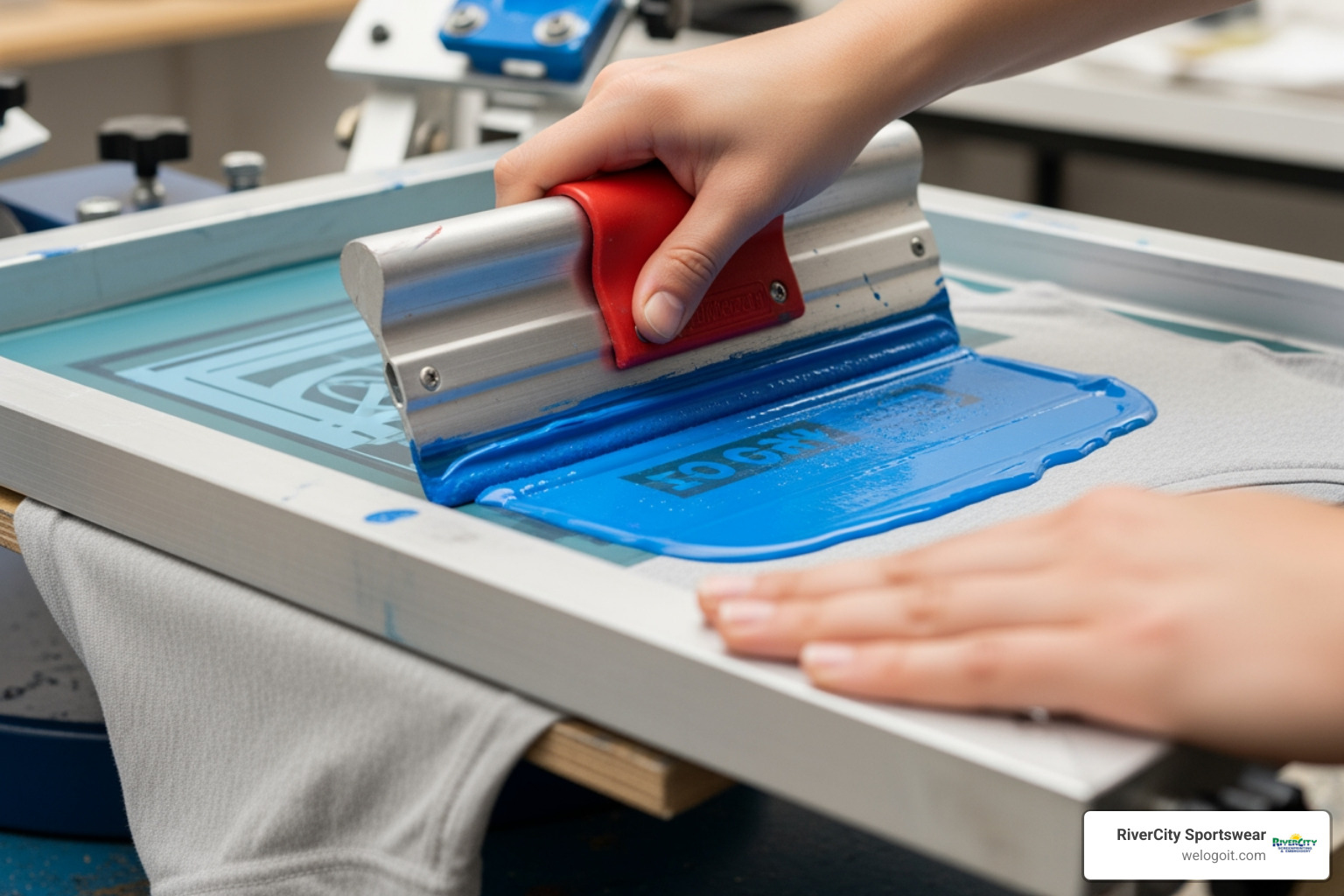
- Consistent Pressure is Key: Apply firm, consistent pressure across the entire design to ensure an even ink deposit. If your print looks faded, you likely need more pressure.
- Squeegee Angle (45-90 degrees): Hold your squeegee between 45 and 90 degrees. A steeper angle deposits more ink; a shallower angle applies a thinner layer.
- Push vs. Pull Stroke: Most beginners start with a pull stroke (pulling the squeegee towards you), which is easier to control. A push stroke (pushing away) is another technique. Focus on a consistent pull stroke first.
- Flooding the Screen: Before your print stroke, apply a line of ink above your design. Then, with light pressure, use your squeegee to gently coat (‘flood’) the design area with ink. This prevents ink from drying in the screen.
- The Print Stroke: Lower your screen onto the fabric. With firm, consistent pressure, pull the squeegee across the design in one smooth motion, clearing all ink from the stencil area.
- Test Prints: Always perform test prints on scrap fabric before printing on your final product to fine-tune your technique.
Mistakes #7-9: Finishing Flops That Wreck Your Hard Work
You’ve printed, but you’re not done. The final steps—curing, registration, and cleanup—are crucial for a professional, durable print and a reusable screen. Don’t let your hard work go to waste.
Mistake #7: Fumbling the Curing Process
Printing is only half the battle; if your ink isn’t properly cured, your designs will wash right out. Curing is the process of setting the ink permanently into the fabric.
Why Curing is Vital for Permanence:
Ink must reach a specific temperature (usually around 320 degrees Fahrenheit) to permanently bond with the fabric. Without proper curing, the ink will wash out, crack, or peel.
Curing Methods for Beginners:
- Heat Setting with an Iron: For home projects, place parchment paper over the dry print and iron for several minutes on a dry setting, keeping the iron moving.
- Using a Heat Gun or Flash Dryer: A heat gun provides focused heat; keep it moving over the design. A flash dryer offers more consistent heat for larger setups.
- Checking for a Full Cure (The Stretch Test): Once cooled, gently stretch the printed area. If the ink cracks, it’s not fully cured. A properly cured print should stretch with the fabric. A wash test is the ultimate confirmation.
Mistake #8: Ignoring Off-Contact and Registration
These two details can make the difference between a crisp, professional print and a smudged, misaligned mess.
What is Off-Contact and Why It’s Important:
Off-contact is the small gap (typically 1/16 to 1/8 inch) between your screen and the garment. This gap is crucial, as it allows the screen to snap away from the fabric immediately after the squeegee passes, preventing smudging and ensuring a sharp print.
Registering Multi-Color Prints:
For designs with more than one color, accurate registration is essential to align each color layer perfectly.
- Using Registration Marks: Add small registration marks to your artwork to help align each screen precisely during test prints.
- Print Lightest Colors First: A general rule is to print your lightest colors first, then progressively darker ones.
- Trapping to Hide Errors: “Trapping” is a technique where you slightly expand a color’s edge to overlap the adjacent color. This hides any small gaps from minor registration errors.
Mistake #9: Treating Cleanup as an Afterthought
Procrastinating on cleanup is one of the quickest ways to ruin your screens and equipment.
Best Practices for Cleaning Up After Screen Printing:
- Cleaning Immediately After Printing: As soon as you’re done, scrape excess ink back into its container and immediately take your screen to be washed.
- Why Dried Ink Ruins Screens: Screen printing ink, especially water-based, dries quickly. If it dries in the mesh, it will clog the screen permanently and can be impossible to remove without damage.
- Using Water for Water-Based Inks: For water-based inks, use cool water and a soft brush to wash all ink residue from the screen and squeegee.
- Emulsion Remover for Reclaiming Screens: To reuse a screen for a new design, you must remove the old emulsion. Apply an emulsion remover, scrub, let it sit for a few minutes (don’t let it dry!), and then use a pressure washer or strong spray to remove the dissolved stencil.
- Proper Disposal: Always check local regulations for proper disposal of inks and chemicals.
Bonus Mistake #10 & More Pro-Level Tips
Even with the best intentions, you’ll encounter challenges. The secret to becoming a great screen printer isn’t avoiding mistakes, but learning from them.
Bonus Mistake #10: Not Learning From Your Errors
Every printer has prints go wrong. The biggest mistake is getting discouraged instead of understanding why something failed.
Troubleshooting Common Screen Printing Problems:
- Faded Prints: Usually caused by insufficient squeegee pressure or too little ink. Try more pressure or more ink.
- Ink Bleeding: Can be due to improper off-contact, a worn squeegee blade, or the screen not lifting cleanly.
- Smudging: Often a result of the screen moving during printing. Ensure your screen is secure and lifts straight up.
- Fibrillation: This fuzzy texture occurs when garment fibers poke up through the ink. To avoid it, use smooth fabrics, avoid excessive squeegee pressure, or increase your mesh count.
- Keeping a Print Journal: We highly recommend keeping a notebook to jot down details for each project: mesh count, exposure time, ink used, and any issues. This journal will be an invaluable resource.
- Practice Makes Perfect: Don’t be afraid to experiment. Every print is a learning opportunity.
More screen printing tips for beginners to get professional results
Once you’ve got the basics down, these tips can lift your prints from good to great:
- Choosing the Right Fabric: Cotton is beginner-friendly. Synthetics like polyester may require special inks to prevent “dye migration” (garment color bleeding into the ink). Uneven surfaces like ribbed garments don’t show detail well.
- Using Pallet Adhesive: This spray or roll-on glue holds the garment on the printing platen, preventing movement and ensuring a clean lift-off.
- Flashing for Dark Garments: When printing light inks on dark garments, you often need a white “underbase”. After printing the white layer, use a flash dryer to “flash” (partially cure) it before printing other colors on top.
- Consistent Workflow: Establish a routine for each step. Consistency in your technique leads to consistent, high-quality results.
- Continuous Learning: Screen printing is an art form with endless possibilities. For a deeper dive, check out A step-by-step screen printing guide.
Frequently Asked Questions about Screen Printing
We often hear similar questions from beginners. Here are some of the most common ones to help you on your screen printing journey:
Can I screen print on any type of fabric?
While versatile, some fabrics are more beginner-friendly. Natural fabrics like cotton work best. Synthetics like polyester can be trickier and may require special inks to prevent dye migration, where the fabric’s color bleeds into the ink. Always test on a scrap piece first. Avoid printing over uneven surfaces like seams and zippers, which can lead to flawed prints.
How do I print a design with multiple colors?
Multi-color printing adds a dynamic element to your designs, but it requires precision:
- One Screen Per Color: You will need a separate screen for each color in your design.
- Accurate Registration: Each screen must be perfectly aligned (registered) so all colors line up. Use registration marks on your artwork to help.
- Print Lightest Colors First: A common practice is to print the lightest colors of your design first, then progressively darker ones.
- Allow Drying Time or Use a Flash Dryer: Between colors, you must either allow the ink to dry or use a flash dryer to “flash” (partially cure) each layer to prevent smudging.
What’s the difference between plastisol and water-based ink?
These are two of the most common ink types for fabric screen printing, and they have distinct characteristics:
-
Plastisol Ink:
- Composition: Plastic-based ink.
- Feel: Thicker and more opaque, it sits on top of the fabric with a slightly rubbery feel.
- Curing: Requires heat (typically 320°F or 160°C) to cure and become permanent.
- Durability: Very durable, but can crack if applied too thickly or cured improperly.
- Best For: Dark fabrics, bold designs, and achieving high opacity.
-
Water-Based Ink:
- Composition: Water-based ink.
- Feel: Soaks into the fabric, creating a softer, more breathable print.
- Curing: Can air dry, but heat curing is recommended for maximum washability.
- Durability: Excellent washability when properly cured.
- Best For: Light fabrics, soft prints, detailed designs. It’s an eco-friendlier option but can dry quickly in the screen.
Conclusion
We hope these screen printing tips for beginners have demystified the process and empowered you to start your own creative projects. Screen printing is a rewarding skill that combines art and craft, allowing you to create durable, custom apparel and promotional items. Don’t be afraid to make mistakes; they’re an inevitable part of the learning process! Every error is a chance to troubleshoot and improve.
Here at RiverCity Sportswear, we believe in exceptional customer service, fast turnaround, and personalized design support for all our clients in San Marcos, Austin, Central Texas, and South Texas. Whether you’re creating custom uniforms for a local sports team, promotional merchandise for your business, or personalized apparel for a special event, we’re here to help. If you find yourself with large projects, intricate designs, or simply want professional-grade results without the DIY setup, our expertise is just a call or click away.
For large projects or professional results, consider expert help. We specialize in turning your vision into a reality, ensuring top-tier quality and efficiency. Get a quote for your custom screen printing project today and let us help you bring your ideas to life!